Posts from the ‘Resources’ Category

ePals

Almost a month ago, I signed my classes up at http://www.epals.com.  It is a website that matches classrooms from around the world that are looking to work on similar projects together.  I had my students get parental permission and started e-mailing teachers in other countries that had students of a similar age.  I finally had a class respond over the weekend and my students e-mailed students in Italy today.  My students are incredibly excited and enthused about communicating with students from around the world.

Here is how it works.  After you get parent permission (the site wants it for students under the age of 13, I made all of my students get one), you create an account for each student.  There are several options on the types of accounts that you can create for them – those are explained at the site.  After you have created the accounts, you get to select the amount of monitoring that you would like to have over each account.  I selected the highest level of monitoring, which means that each e-mail has to be approved for delivery both incoming and outgoing.  My students grumbled a little bit about this, but when I explained why this was necessary, they understood.  It was also a selling point with parents.  Students can access their account anywhere they have access to the internet.  I have signed up for computer lab time, our ePals are e-mailing us from their homes.

Even after our first day e-mailing, I can see the types of conversations that we will have about letter writing, use of slang, how to write questions, spelling, and editing on the computer.  I am excited to have them start receiving responses.

Eventually, I want them to share the books that they are reading and the literature that their ePals are reading.  This might lead into a shared project – the sky’s the limit!

Foldables® – Social Studies Continent Book

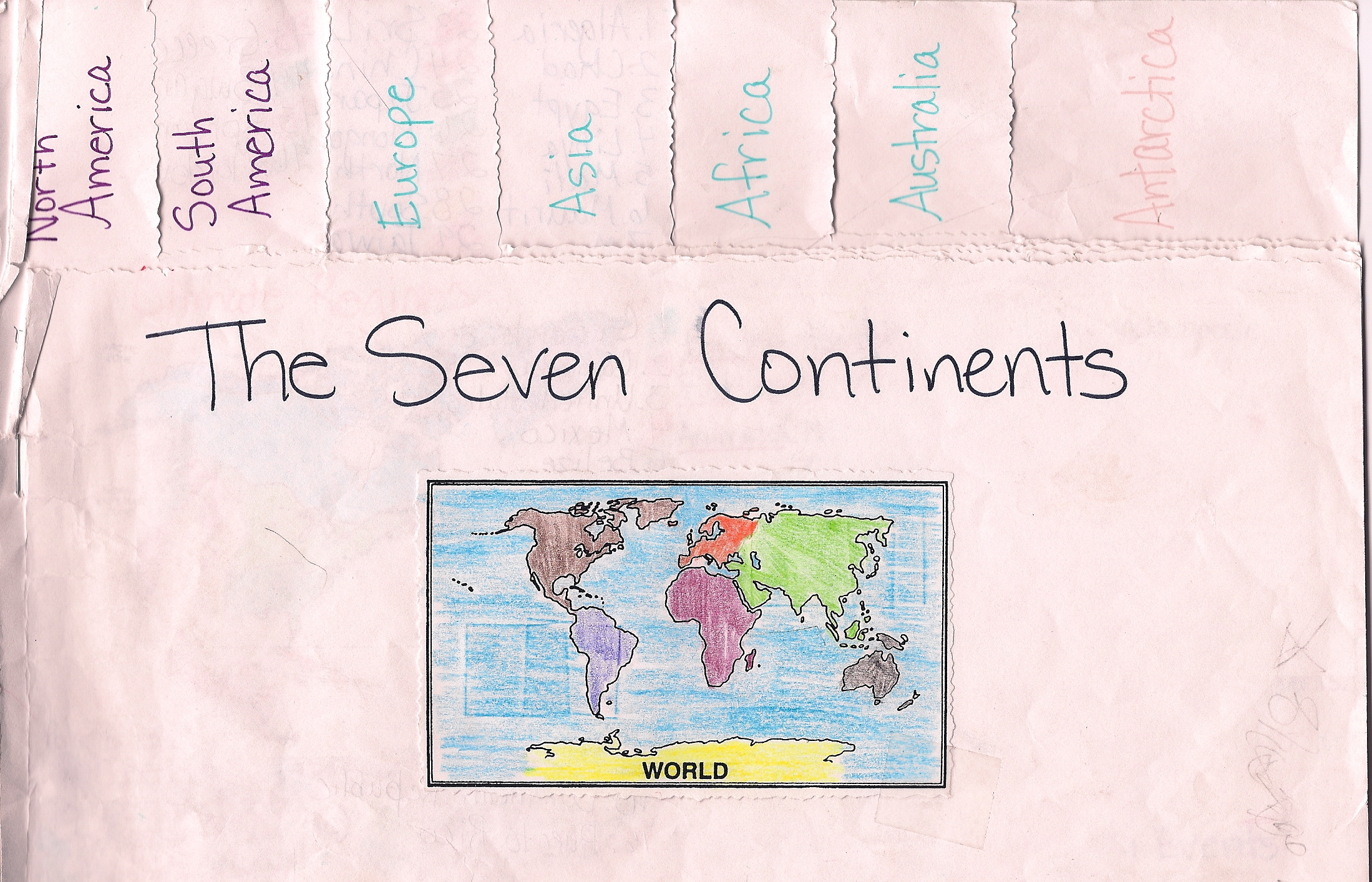
I have an old, new favorite.  Foldables.  I was exposed to them several years ago by a science teacher and used them in my Newcomer Social Studies class when I couldn’t find appropriate materials.  I was working on the 7 continents, the countries within those continents, and pulling facts from text.  I pulled maps from the Geography Coloring Book which was great because they were small enough to fit into my book.  I then assembled a foldable that allowed each continent to have its own two page spread.


Front cover of Continent Book

Front cover of Continent Book

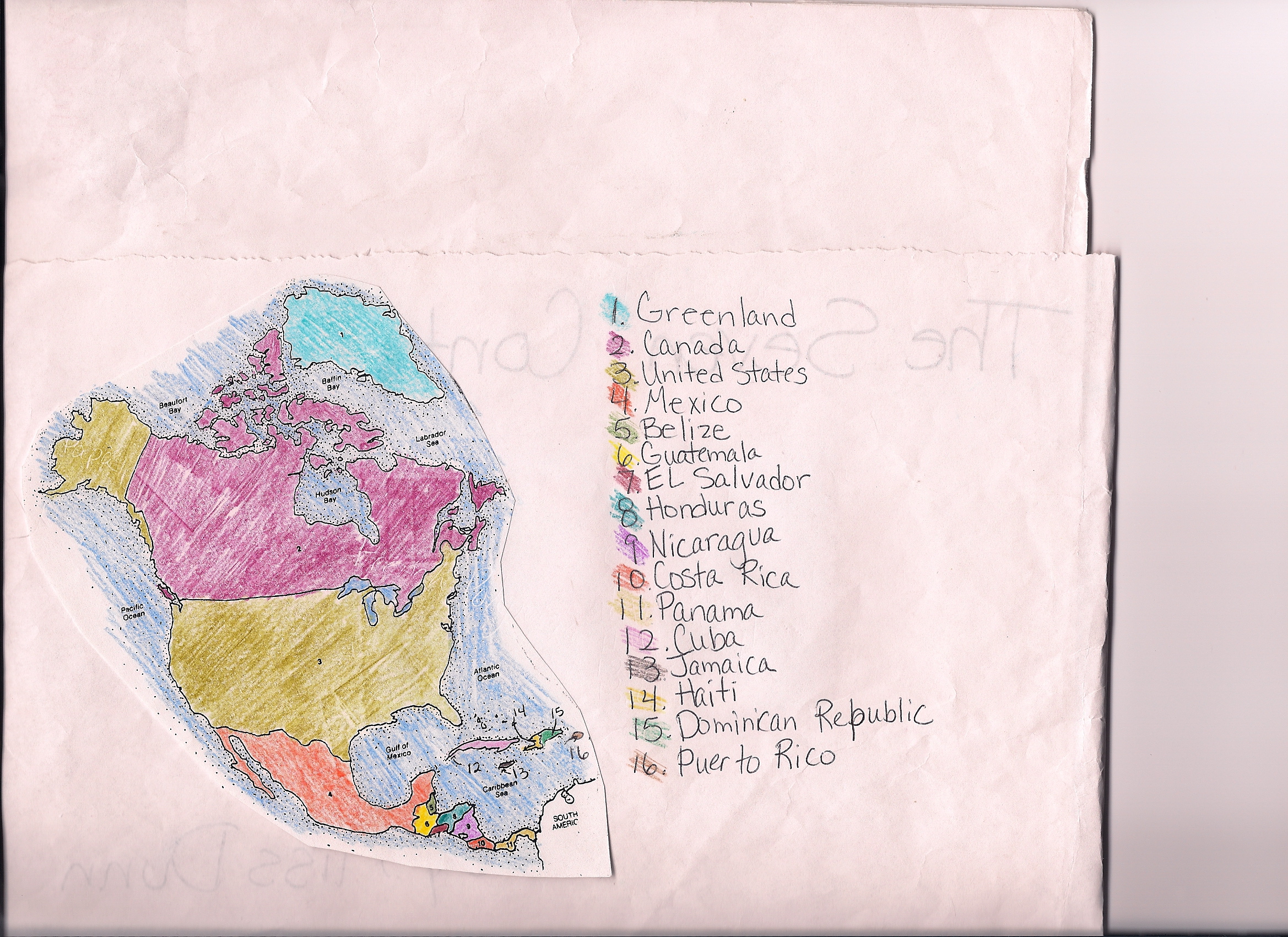
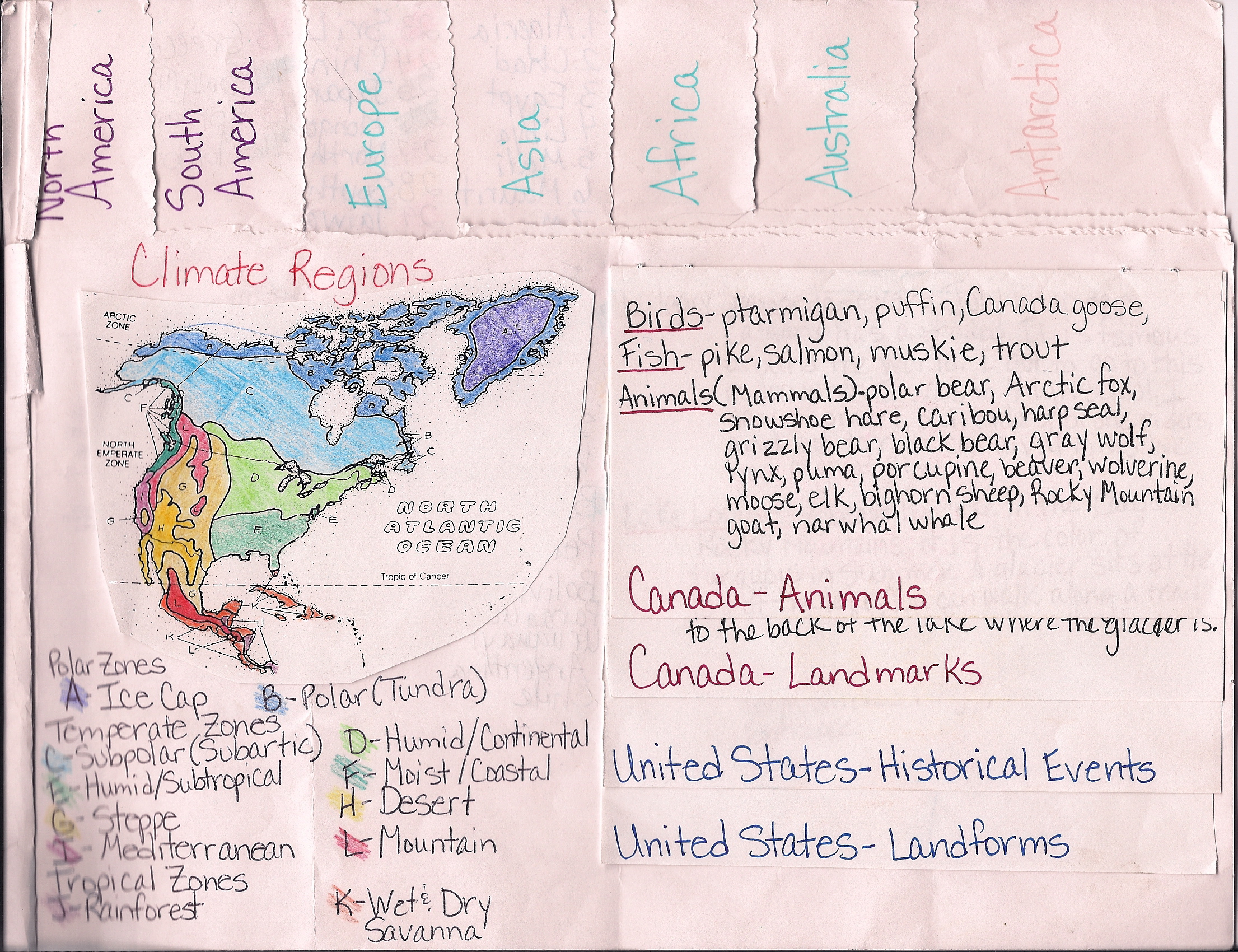
Each continent had three sets of information:  country names, climate zones, and facts about two countries in that continent.  They were able to choose the type of information that they found on their countries.  They could choose:  animals, landmarks, culture, landforms, or historical events.  I checked nonfiction texts out from the library to help them find the information.  We used an atlas to find the names of the countries.


Left side of the continent book with country names.

Left side of the continent book with country names.country facts.

Right side of continent book with climate zones and country facts.

Right side of continent book with climate zones and country facts.


By the end of this project, my newcomers were able to search for specific information from nonfiction text, pull that information from text, and use it in their book.  As a culminating activity, I had them answer questions using the book as their resource.  I was looking to see if they could pull specific information from their own book.

This activity was engaging, interactive, and students were able to work at their own pace.  A success all around!

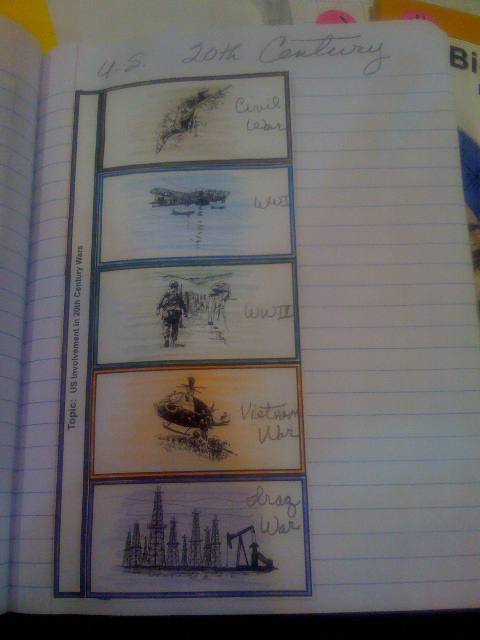
Since then, I have discovered that Dinah Zike has created many books on the different types of foldables that you can use in classrooms.  Pictured below are some other social studies examples from her.  I purchased one of her books and am looking forward to incorporating these strategies into my classes.

from Dinah Zike's Notebook Foldable book.

from Dinah Zike's Notebook Foldables book


From Dinah Zike's Notebook Foldables book

From Dinah Zike's Notebook Foldables book


I will also be talking about math, science, and language arts foldables that I have created and used in my classrooms.

Slideboom

Slideboom.com is a place where you can host your PowerPoint presentations or search for presentation that have been uploaded by other users. The website is very easy to use and quickly uploads presentations. Slideboom is a great tool for sharing your presentations with other educators and students. Also, if you create a presentation at home or at school, just upload it to slideboom and you can access it from any location. I hope you find slideboom.com as easy to use and useful as we have. If you would like to look at the presentations we have uploaded, you can find them at slideboom.com/people/ellclassroom. Feel free and please download them and modify the presentations to meet the needs of your students.

ELLclassroom's presentations

Amazon Book Reviews

As I looked at my students’ proficiency levels at the beginning of this school year, I noticed that most of my students struggled with their writing.  My district requires quarterly assessments, and again, they were unsatisfactory or partially proficient in writing.  I didn’t just want them to write for class, but I wanted an audience and for them to publish it as often as possible.

I was surfing Amazon and it finally connected for me – my students could post book reviews online.  I decided to find a way for them to use this site to publish their writing.  As I looked further into the site, I discovered that they could post their reviews as “A Kid’s Review.”  This was perfect as I don’t want them to put up their names or locations.  They will log in under my name, type their reviews, and post it as a kids’ review.

Earlier in the year I showed my students amazon.com (most of them had never visited the site or heard of it) and how to search for books and read book reviews.  So that was where I started.  With a borrowed laptop and LCD projector, my students and I search the site, looking specifically at book reviews.  We pulled up reviews on books that they were reading.  They were shocked that people wrote reviews about books that they didn’t like and that people didn’t necessarily like the books that they loved.  They were also concerned that the authors would read the reviews and see that people didn’t necessarily love their book.  We made sure that we previewed some of the reviews before class so that we could specifically show them some examples where the reviewer had a lot of voice and was creative.  One of my students wanted to post a review about his favorite book right there, so we did.  He dictated what he wanted to say, read it over, edited it, and then we posted it.  It takes about 48 hours for a review to post, so I checked back a couple of days later, and there it was.  I showed it to him, but he said that he had already looked online and seen it.  

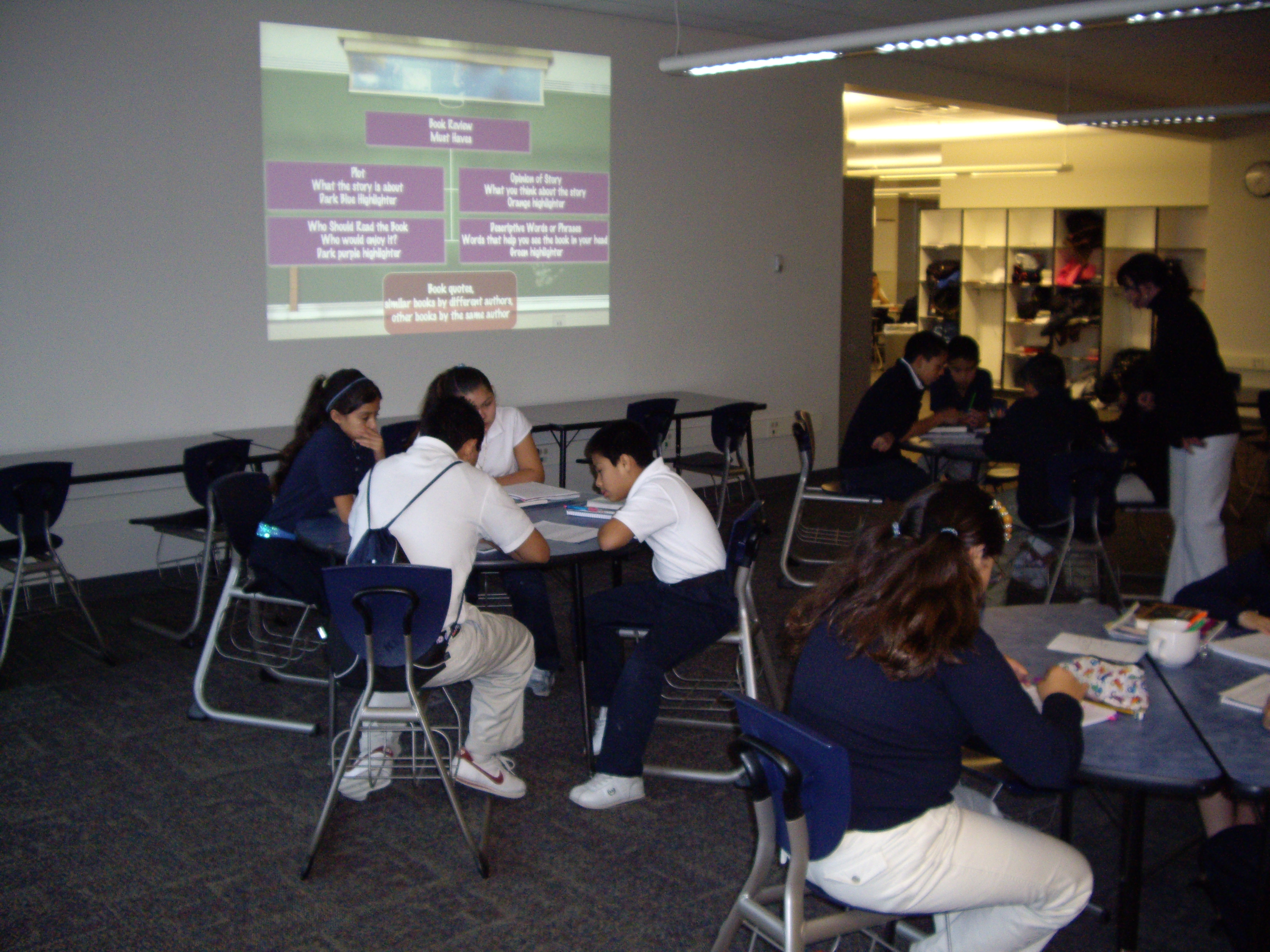
My next step was to have my students start breaking apart reviews and looking for the “must haves.”  I created a PowerPoint presentation to show students the various parts of a book review.


Pod area set up ready for class.

Pod area set up ready for class.


After going through the example, students worked in groups to highlight the major parts of their book review.


Students highlighting book reviews.

Students highlighting book reviews.


Groups working.

Groups working.


I discovered that it was difficult for them to tell the difference between opinions and plot.  I can tell that we are going to have to work on this as they begin writing their own reviews – which will be next week.

If you would like to see or use the PowerPoint, it is uploaded at:  http://www.slideboom.com/people/ellclassroom

Genre Wall

This year, I have especially noticed that my students struggle identifying genre related to literature.  They can identify fiction or nonfiction, but they have been unable to identify specific genres within each.  I decided to develop an interactive way for them to begin to explore different types of genre.

imgp1739


I decided to begin with five main genre types:  realistic fiction, science fiction, mystery, fantasy, and historical fiction.  In addition to the board I created, I also found a descriptive chart that students can read through to find the genre type.  I made sure that I put picture examples of genre under each heading so that students could have a visual image that would help them decide what genre a book fits into.

Whenever a student finishes a book that they rate a 9 or 10, they can fill out the pieces of paper that you see on the board for extra credit (5 points).  This serves as an advertisement for other students and a way for them to figure out genre.  The information that they place on the paper are:  title, author, reviewer (their name), rating, and location (where someone else can find the book).

I have found that students enjoy sharing their favorite books in this way.  They also use the pictures to help them figure out the genre.  

I plan on adding other genres over the course of the year.

I have been incredibly pleased with these results.  My students are really starting to use these tools to help place books into different genres.


Writing to Publish

I am trying to focus my classroom instruction on authentic student writing this year.  I feel that if students feel that they have a real audience, then they will craft better writing.  I have devised several ways to publish their writing.  

I recently signed my class up for ePals.  This is a program that matches classrooms from around the world.  Your students e-mail other students their age.  They can share their history, experiences, culture, etc.  You can also set this program up so that you and the other classroom work on a project together.  I want my students to not only establish a relationship with their ePal, but to talk about the literature that they are reading.  I am hoping that it will broaden my students’ thinking.  If this is something that you are interested in also pursuing, I would visit their site at http://www.epals.com

I am also going to use amazon.com to publish my students’ book reviews.  They can post the reviews on books they have read under an account that I created.  The website allows them to select under 13 as an option.  When that is selected, the review shows up as “Kid’s Review” so I don’t have to worry about them adding their name or any personal information.  I have just started this project, and will post my classroom experiences soon.  The title of the post will be Amazon Book Reviews.

Another project that I am going to start next month with my students is a Holiday Letter.  Every year, my husband and I seem to get letter after letter from family members telling us about their year.  It really is a “year in review.”  It seems to me that this is just another form of summary writing, which, let’s face it, most students struggle with.  I am going to have my students write their own Holiday Letter and then mail it to family members that they don’t live with.  I then plan to piggy-back this with summaries later on in the year.

I am also looking to incorporate dialog journals into my class.  Another teacher in my district and I have started talking about ways to share our students’ writing with each other.  So far, she sent my students some writing to assess.  I am hoping that this will lead to a dialog journal of some sort.  I haven’t completely worked out the logistics yet, but it is something that I am excited about.  

I really think that all of these authentic writing projects will help my students refine and polish their writing.  At least, that is my hope!

Newspapers – Day 2

I was very happy with the performance of my students both in finding the text features and working in groups.  I wanted to have them discuss their frequency charts as a follow up to the previous activity.  But first, I wanted to see what new information they had learned about text features.  I decided to have them use the same paper for the first “brain dump” to add any new information that they had learned.  I had them draw a line under their first writing and add any new information that they had learned.  I then had them share their new understandings.

I wanted each student to share an answer, so I borrowed some marbles from another teacher and placed a plastic plate in the middle of each table.

Each student selected three marbles of the same color.  Every time they answered a question, they placed a marble in the plate.  It was an easy way for me to see who has shared.  I discovered, however, that marbles (or anything else that rolls), is not the way to go.  I will be purchasing some colored chips to use in the future.  The marbles struggled to stay in the plate and they rolled across the table too easy.


I had my overhead set up in the pod area and I had one complete copy of the newspaper on each table.  I had students move into the area and sit in groups. I displayed one question at a time and had the groups discuss the answer.  After every person had answered, I asked one person to tell me what another group member had said.  I discovered that they struggled with really listening to their group members.  It allowed me to assess their listening and retelling skill levels.

I need to work on group sharing and listening in my future activities.

LàTeen Magazine

 Today, while I was viewing the exhibits at the NMSA conference, I came across a very interesting magazine. The magazine is specifically for Latino teens and is appropriately named LàTeen. LàTeen was originally created by a class of 8th graders and their teacher. At this time, I do not know all of the details as to how the magazine became what it is today. There is a website to accompany LàTeen, but it is still under construction. However, you can visit www.lateen.com and register your school or classroom for a free 6-month subscription (must have tax id). Teens or Youth can also register for an individual free 6-month subscription.


LàTeen Magazine contains articles in Spanish and English (the same article is not featured in both languages). The articles are about fashion, sports, famous Latinos, and much more. I look forward to receiving my first copy to read through and report back on some ways to incorporate this magazine into the classroom. If you or your students have already had the opportunity to read LàTeen Magazine, please share with us your thoughts

20 Questions

Last Christmas, my husband and I were invited to a white elephant party and were looking for a nice but fun gift to bring when we came across the handheld game 20Q’s. My husband was immediately addicted and we bought one as our gift. That little bit of background leads me to my current thoughts on an inexpensive but useful classroom tool for English language learners or struggling readers.

In order to play the game, you must pick a common object that most people would know about, be able to read or have someone read the questions for you, and then answer questions about your object’s characteristics. The choices are yes, no, and sometimes. The online game provides more answer choices. Here is a sample question. (I indicated that my object was an animal.)

Q2.  Does it have fur? 

 Yes ,   No  , Unknown, Irrelevant, Sometimes, Probably, Doubtful

Fun for struggling readers:

My nephew turned 15 this summer and I was stumped as to what to give him that wouldn’t just be thrown in his room and never used. Thankfully, I remembered the 20Q’s game and thought that it would be something he would enjoy. I was right. He and my husband played with the game pretty much all day and then again at dinner that night. My nephew is what most educators would classify as a struggling reader due to dyslexia and isn’t interested in reading. However, this “toy” required him to read the questions presented in order for the game to guess his object. My husband commented later that he thought the 20Q’s game would help our nephew with his reading because there were times when he did not know a word and would have to ask for help. 

Reinforcement/Fun for ELLs:

In an ELL classroom (only ELL students such as NEPs or NEPs and LEPs), 20 questions could be used to teach vocabulary and the characteristics of vocabulary. For example, if students are learning English for the first time, it is important for them to learn common school objects. The facilitator (teacher, instructor, para, tutor) will show them pictures of these objects or point them out around the school or in a book. Once the students are familiar with the names of these objects, identifying their individual characteristics creates a deeper understanding of the object and allows the students to then begin comparing and contrasting the objects or categorizing them into groups (comparing and contrasting and categorizing are higher level thinking skills). 

In addition to the content vocabulary such as the school objects, ELLs would also need to understand the academic vocabulary that is included in the game such as yes, no, unknown, irrelevant, sometimes, probably, and doubtful. If the students have no knowledge of these words then it is impossible for them to answer the question correctly. 

In a content classroom with ELL students, this “toy” could be useful as a “filler” (something that they could do after they have finished their work or if there are a few minutes left of class). 

The game is available in stores such as Target, Wal-mart, K-mart, and Toys r Us for approximately $7-$10. 

It is also online at http://www.20q.net/

If you have used 20Q’s in your classroom or have any other ideas on how 20Q’s could be incorporated into the classroom, please share your experiences and ideas with us.

Interactive Whiteboards

Interactive whiteboards, electronic whiteboards, smartboards, whatever they may be called, they have been a huge hit with teachers across every grade level and content area. Display your computer screen on your whiteboard, show a video/ multimedia presentation, create a graphic organizer or fill one in as a class, manipulate virtual manipulatives in math, create words or sentences with letter and word tiles, demonstrate how to ______ (you fill in the blank), save, cut, copy, paste, and print notes from class, etc. Think outside of the box and the options are endless. 


Please share your ideas and experiences, we would love to hear how you have incorporated this multifaceted tool in your classroom.